
Equipment is identified by a serial number, and often by a code or tag that holds it. Scannable reads barcodes, Data Matrix codes, QR codes and NFC tags, so you can find an item without typing.
Serial number
A unique code of letters and numbers, engraved or printed on the item. Type it into the serial number field, or scan a code that holds it.
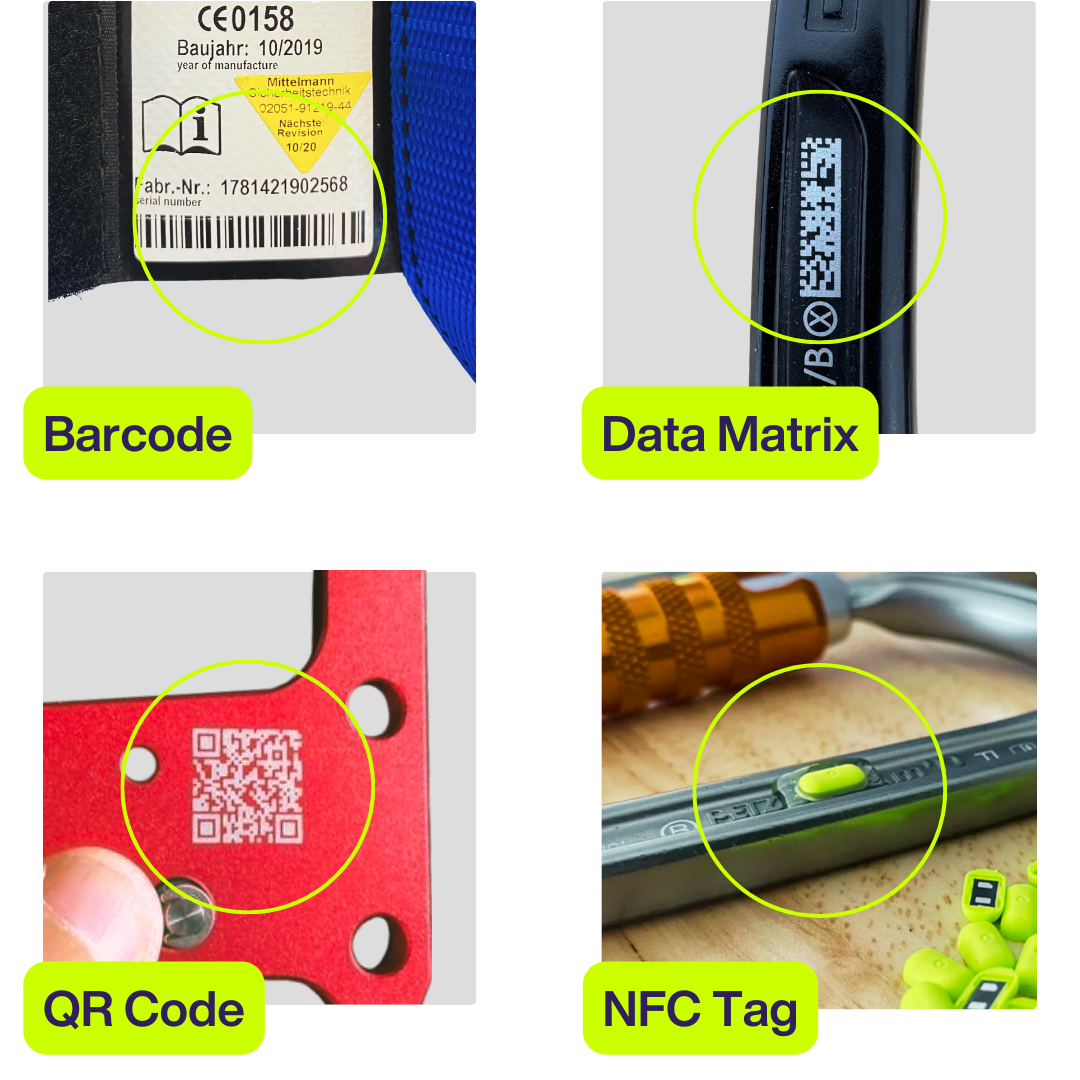
Barcode
A row of lines of different widths. The barcode on packaging usually identifies the product, not the item. Scan it to find the product in Scannable's equipment database.
Data Matrix
A small square or rectangular 2D code. A 2D code stores information in a pattern of squares, so it holds more than a barcode. Many manufacturers mark the serial number on their equipment as a Data Matrix code.
QR code
A square 2D code, like a Data Matrix, that can hold more information. A QR code can hold a serial number. On Smart PPE™, it can hold a link to the item's full product information.
NFC tag
A small chip built into the item or attached to it. You read it by holding it against your phone or an NFC reader. See Adding NFC to an item.
What Scannable scans with
| Code or tag | Mobile app | Web app |
|---|---|---|
| Barcode, Data Matrix and QR code | Phone camera | Computer camera: select ‘Scan’ in a search box |
| NFC tag | Phone's NFC | USB NFC Reader |
For step-by-step instructions, see Using 2D codes.
Who uses 2D codes
Companies such as NLG - Never Let Go, Petzl, KiwiKlimbers, Courant, Art and Singing Rock put 2D codes on their products. To learn which brands use which codes, read our blog Using Petzl codes and other Scannable technology.