What archiving does
Archiving takes an item out of your active inventory list, search results, counts, exports, and expiry/inspection-due notifications — but keeps everything about it intact. Its inspection history, certifications, and other metadata stay exactly as they were, and you can restore it at any time from the Manage archives view.
This is different from removing an item, which hands its serial number back to an unclaimed pool that anyone can find and re-add. An archived item stays claimed by your organisation.
Archiving an item
-
💻 Web: use the Archive action from an item's row menu, or select multiple items and use the bulk action.
-
📱 Mobile App: use Archive from an item's options menu, or from the bulk-actions menu.
Viewing and restoring archived items (💻 web only)
-
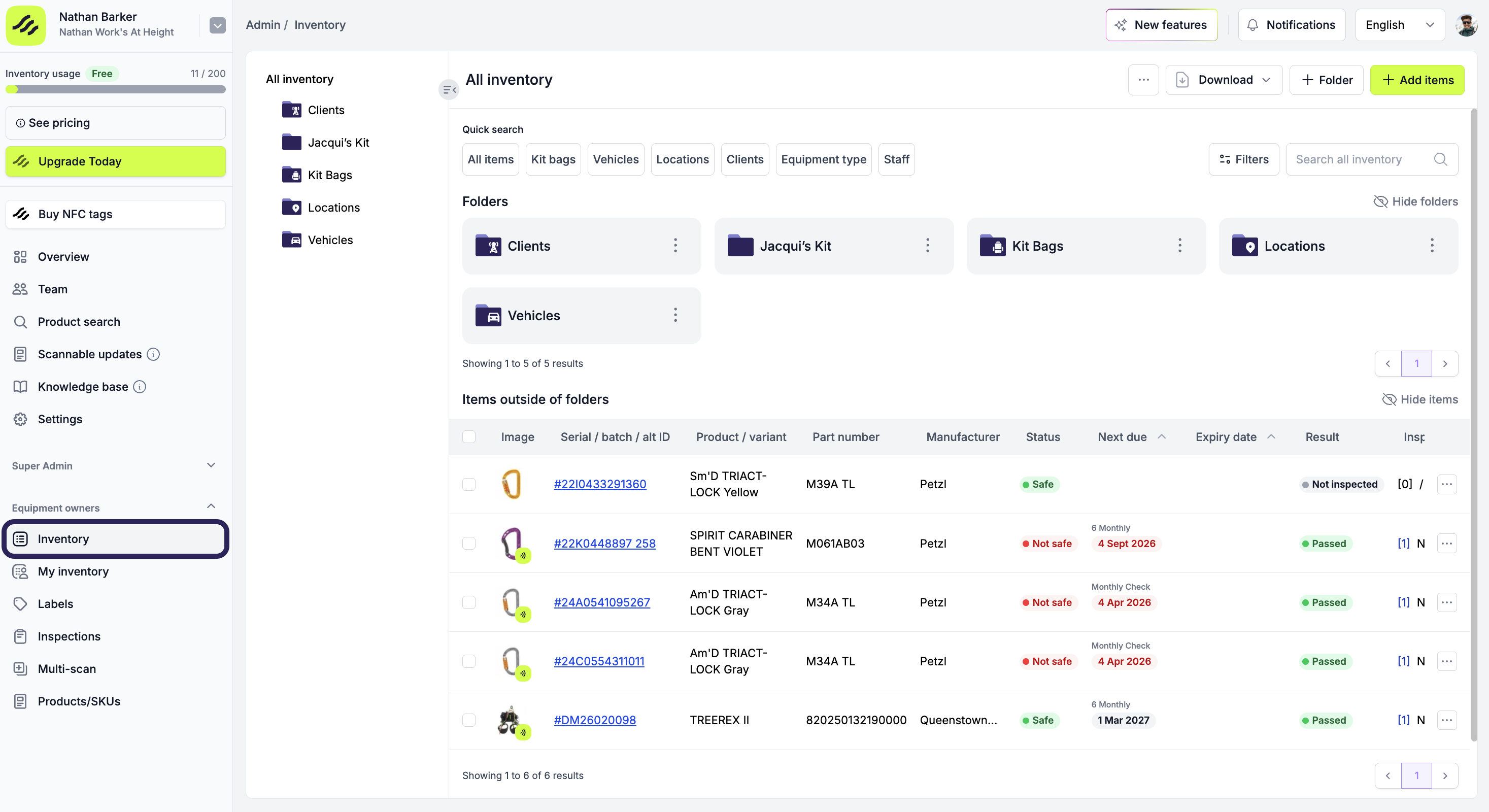
Open your 'Inventory' list
-
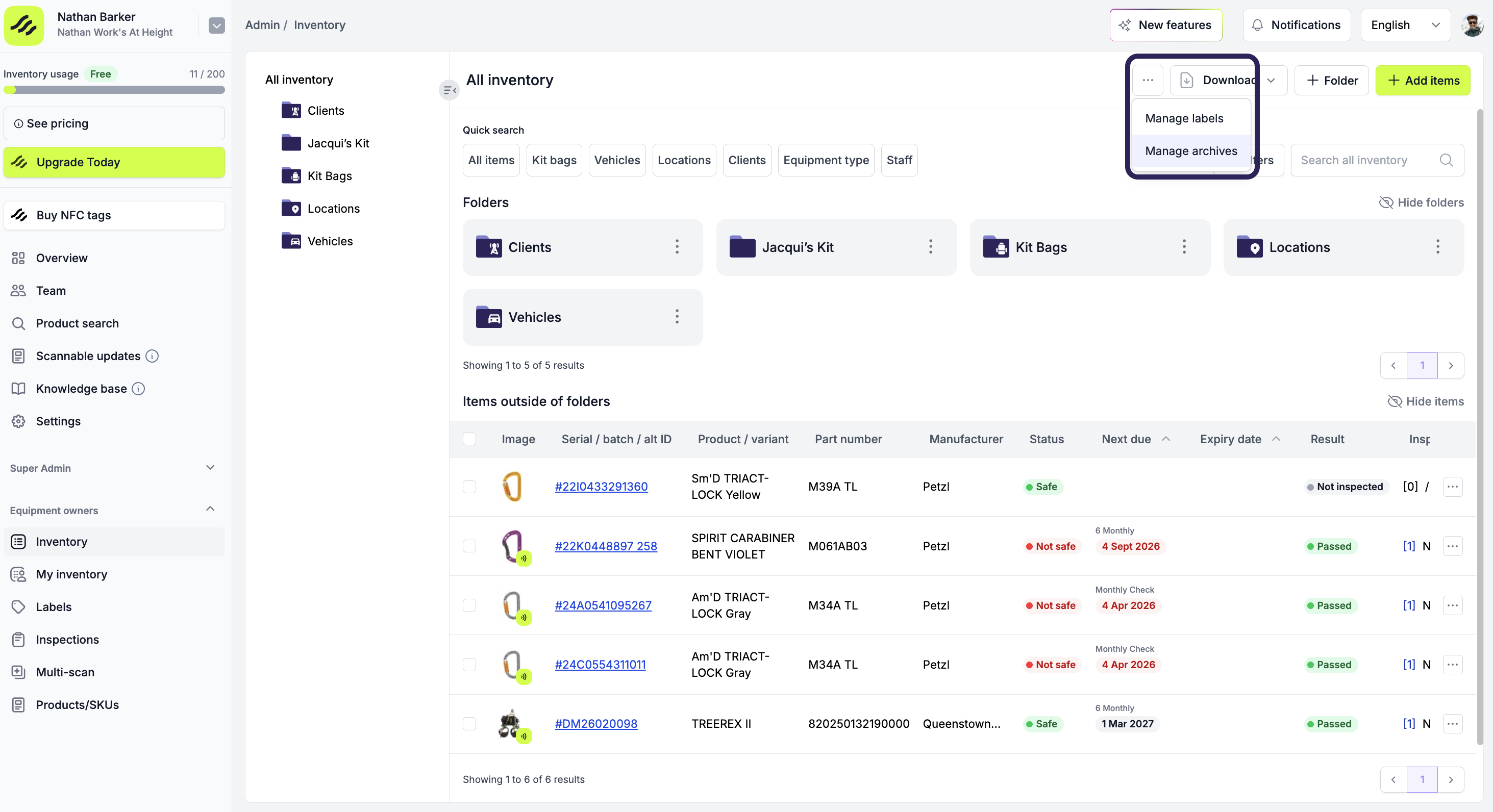
Open Manage archives, using the ··· button in the top navigation bar, adjacent to the 'Download' button
-
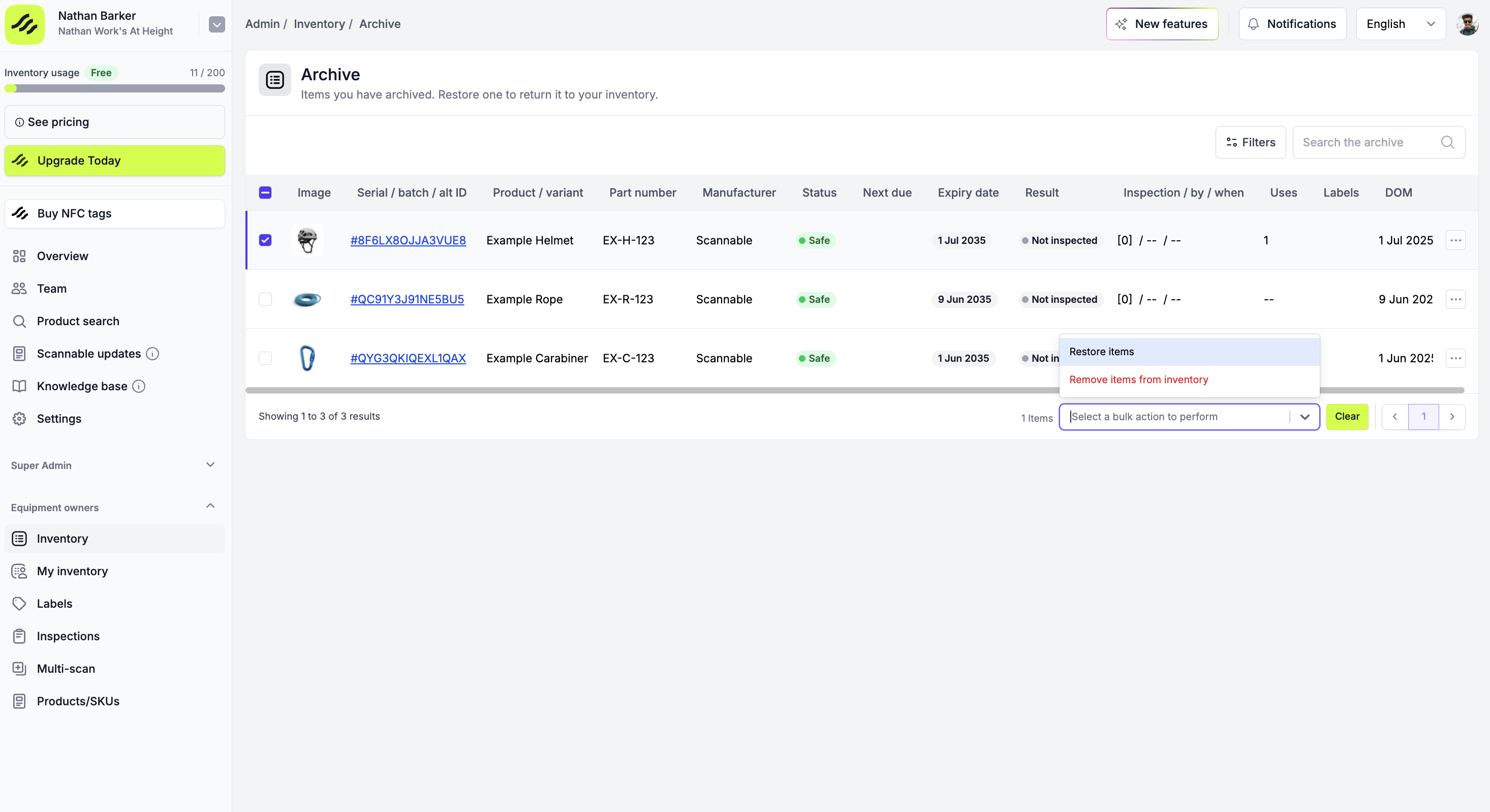
Archived items are listed most-recently-archived first
-
Select Restore to bring an item back to your active inventory, or Remove from inventory if you're ready to let it go for good