
Edit an item’s information with the mobile app
-
Search for the item you want to edit
-
Select the item and tap ‘Options’ > ‘Update Information’
-
Tap ‘Change SKU’
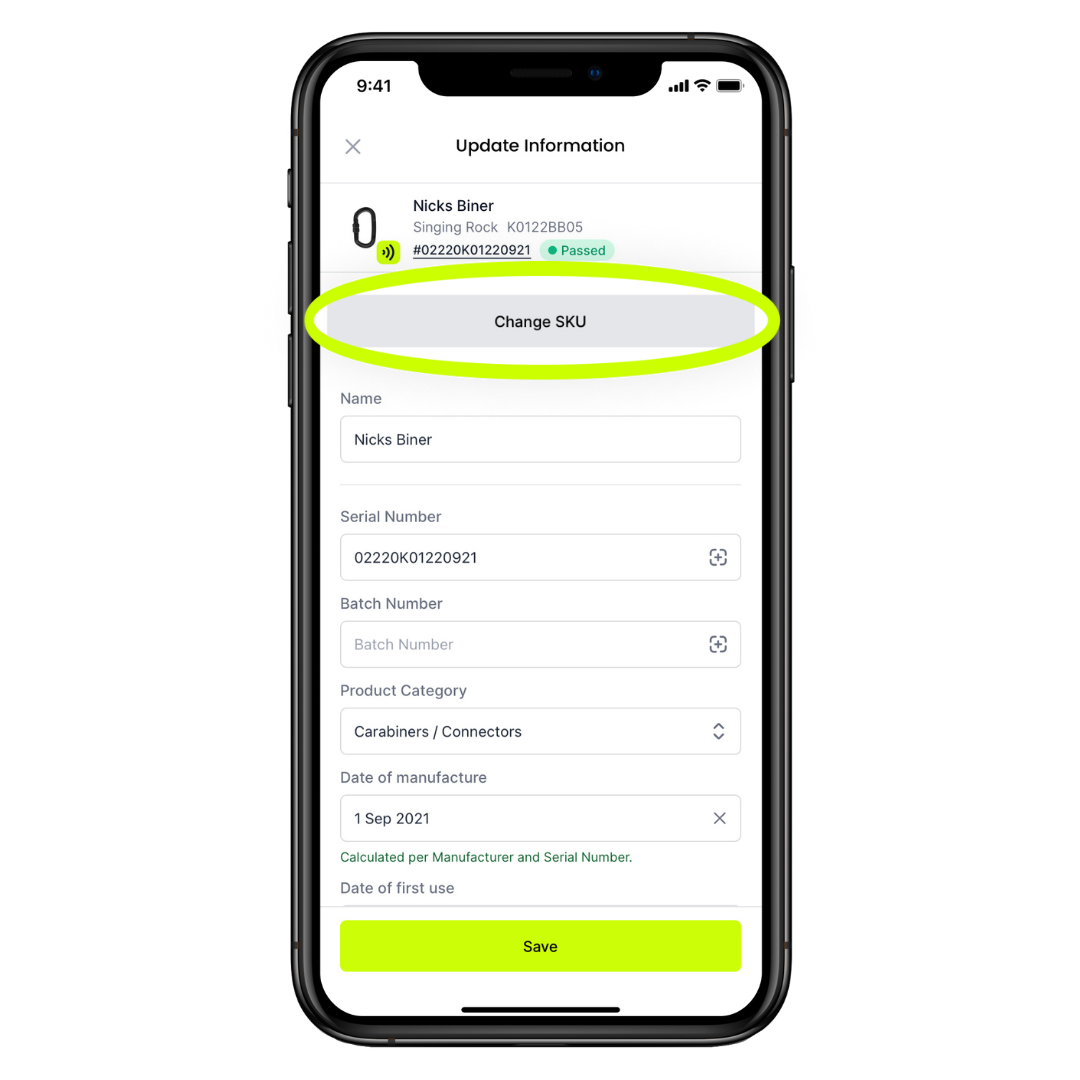
-
Use the camera to scan the data matrix code, QR code, or barcode of the item you are wanting to change to, or tap the search tab to search by name or part number
-
Select the item you wish to update to
-
Tap ‘Confirm SKU / Link Product’
Edit an item’s information with the web app
- Search for the item you want to edit
- Select the item and click ‘Options’ > ‘Update Information’
- Select ‘Change SKU'
- Use the search bar to search for the product you want to change your item to
- Select the product
- Select 'Assign to new SKU'