
Overview
The Scannable Barcode Scanner is a versatile handheld device that connects to your phone or laptop via a docking station (using a 2.4G wireless connection) or bluetooth.
It functions as a keyboard emulator, reading data from barcodes, QR codes, data matrix and other 2D codes.
The scanner integrates seamlessly with the Scannable platform, whether through the mobile or web-based app—making it ideal for efficiently managing PPE and safety equipment.
The hardware
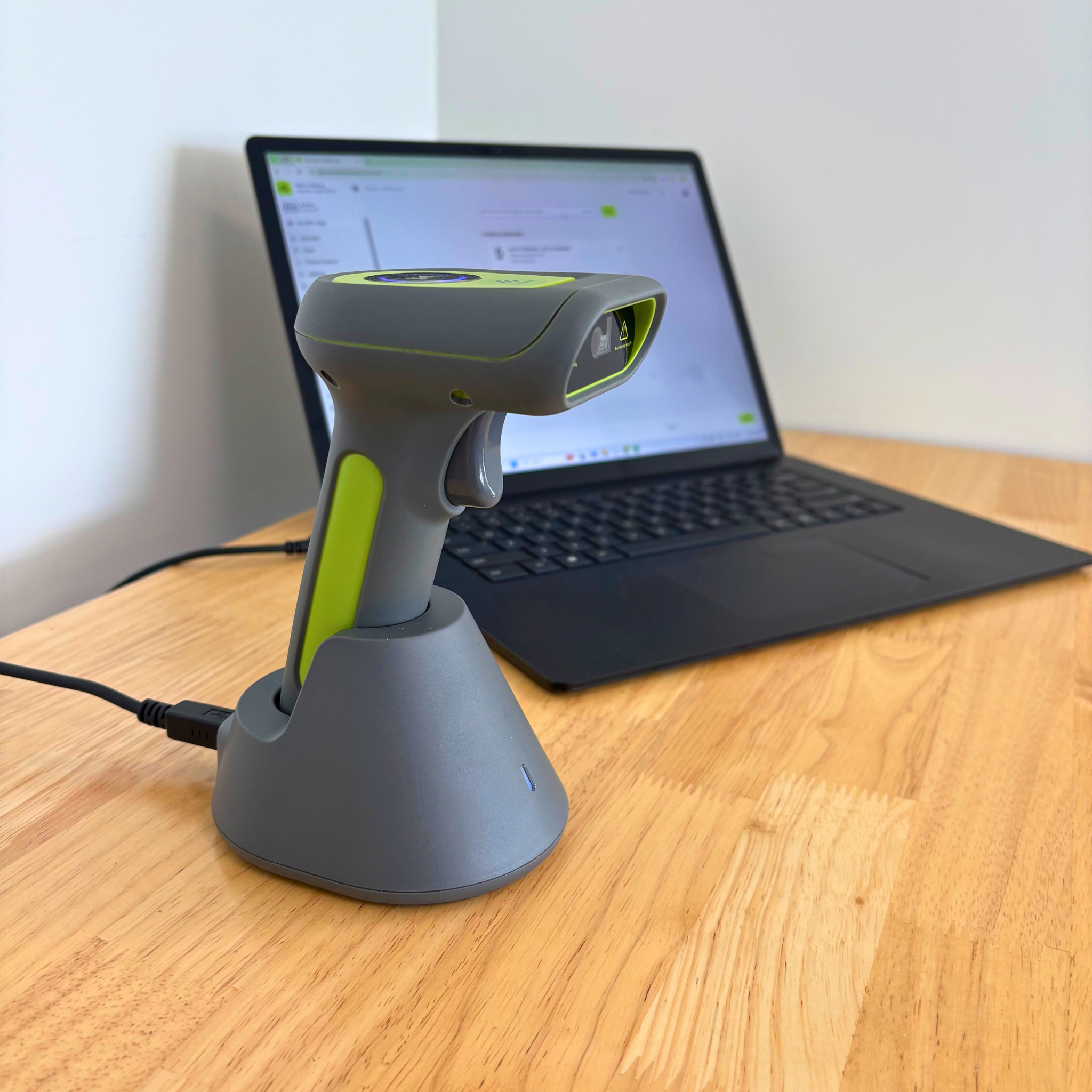
This is the Barcode Scanner in its docking station. The docking station is both a charging base for the scanner and also facilitates the 2.4G connection to your laptop or phone.
If you use bluetooth, the scanner will connect straight to your laptop or phone.
How to connect the barcode scanner to your device
You can use either a 2.4G connection or bluetooth to connect the barcode scanner to your device.
Setting up the 2.4G mode
-
Make sure you do not have any other docking station plugged in to your device
-
Turn on the barcode scanner by depressing the trigger.
-
After a few seconds, scan this barcode:
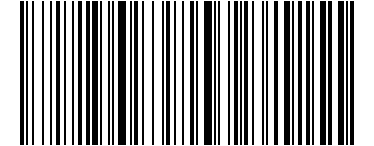
Wireless 2.4G Mode
-
Plug the docking station into your device.
-
Scan the following barcode:
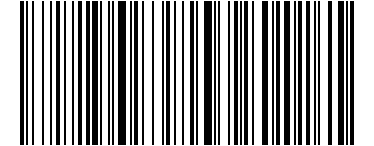
One-click pairing
-
Done! The barcode reader is connected using the 2.4G connection.
Setting up the wireless Bluetooth mode
-
Turn on the barcode scanner by depressing the trigger.
-
After a few seconds, scan this barcode:
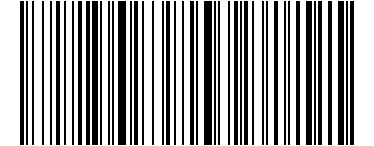
Bluetooth Mode
-
Make sure your device has bluetooth turned on, or is in bluetooth search mode
-
Scan the below barcode with the scanner:
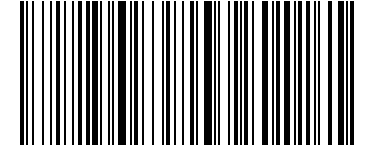
One-click pairing
-
The blue light on the barcode scanner will start flashing, this indicates the scanner is in bluetooth pairing mode. Select the scanner from the bluetooth settings on your device:

-
The Barcode Scanner is now connected via Bluetooth!
Improving scan consistency
Sometimes a barcode, data matrix, or other 2D code can be hard to read because it is damaged or very small.
To improve your scanning performance try to angle the scanner differently, and move the scanner closer to or further away from the code.
Oftentimes, by starting close to the code and then slowly moving outwards, you will get a successful scan.