
Introduction
Label previews allow manufacturers to see exactly how a rope label will appear before printing. This helps ensure that product data, measurements, certifications, and layout are all correct, reducing waste and avoiding misprints. This guide explains how to preview labels and how edits to SKU data affect what is shown.
Accessing Label Previews
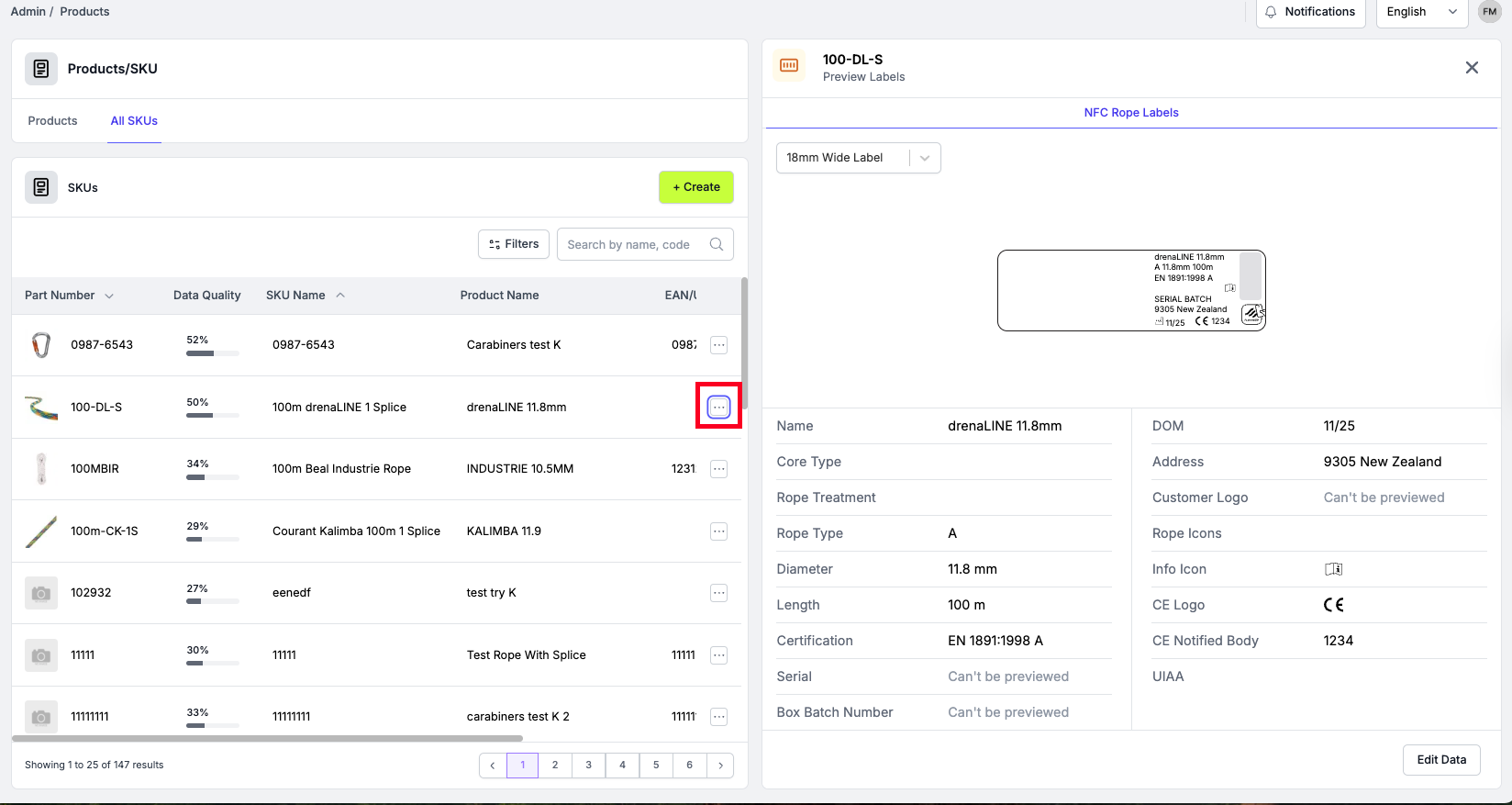
You can preview a label directly from the SKU:
- Open the SKUs table
- Select the SKU you want to review
- Open the drop down
- Choose Preview Label
This displays a live label preview based on the SKU’s data fields.
Editing data in the Label Preview
When previewing a label, selecting Edit Data shows:
- Left side: the label preview
- Right side: the specific data fields used for printing
These fields are a subset of all possible product data—only the values required for the label layout appear here.
Real-time updates
Any changes made on the right-hand side instantly update the preview.
Examples:
- Changing the length from 836 m to 200 m updates the printed length
- Updating diameter from 9 mm to 11 mm changes the rope type and layout fields accordingly
This allows manufacturers to confirm the printed values before production.
What appears on the final printed label
The preview shows the structure of the label. On an actual printed label, you will also see:
- The manufacturer’s logo
- The real serial number generated during the serial run
- The batch number
- Certifications (e.g., UIAA)
- Rope specifications (diameter, length, type)
- Manufacturing details such as date and country
- Optional identifiers like CA numbers
These details are automatically populated when the serial batch is created.
Different label sizes
Scannable supports two label formats:
18 mm labels
- Slim format
- Used by many rope manufacturers
- Layout optimised for smaller print area
- Label codes often begin with “BL1”
30 mm labels
- Wider format
- Allows more spacing and larger icons
- Used by customers who prefer a larger visible label
The preview updates layout depending on which label size is configured for the printer.
Printing labels vs printing packaging
Label previews relate specifically to rope labels, which include:
- Product data
- Serial number
- NFC tag linkage
Packaging printing is a separate process used for:
- Paperwork
- Inserts
- Additional branded materials included with the product shipment
Packaging printing can be configured and customised separately from rope labels.