Creating a folder using the mobile app
- Tap ‘Inventory’ on the bottom menu of the mobile app
- Tap 'Folders' in the top menu
- Tap '+' in the top right hand corner
- Enter the name of the folder you want to create, select the type of folder you are creating, give it a description should you need, and select the location for your folder
- Click 'Create Folder'
Creating a folder using the web app
-
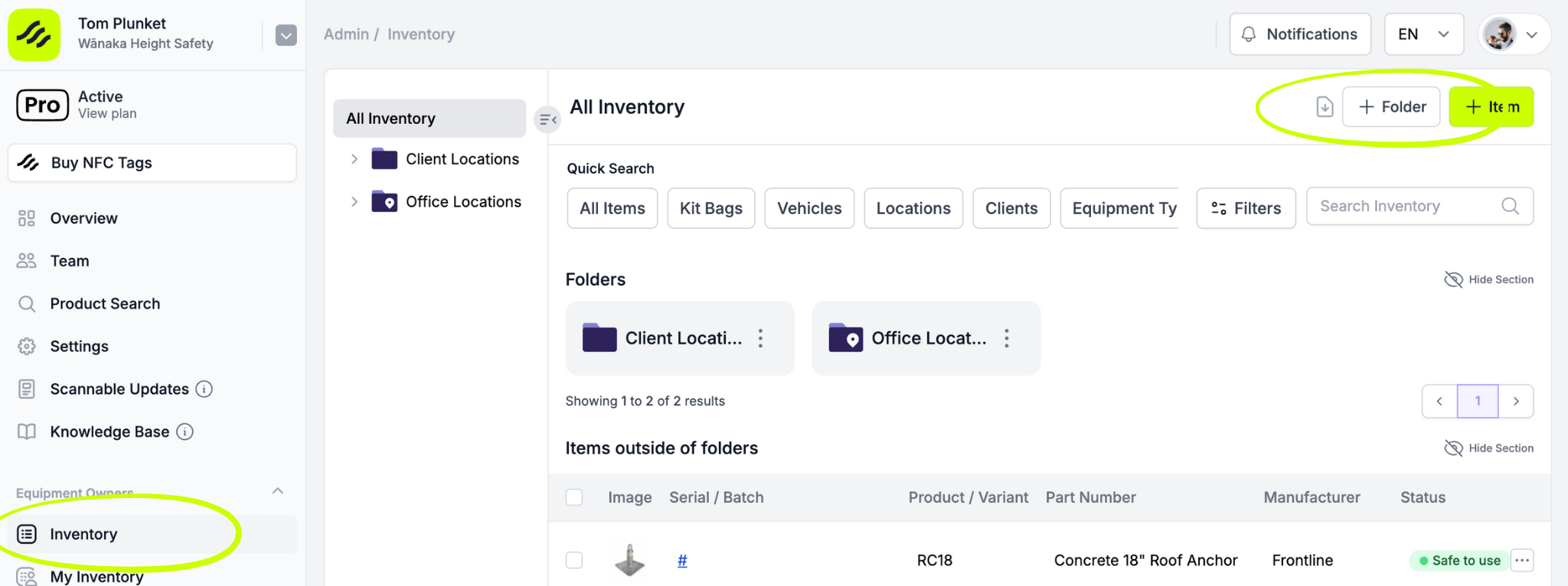
Select 'Inventory' from the left hand menu
-
Click '+ Folder' in the top right hand corner
-
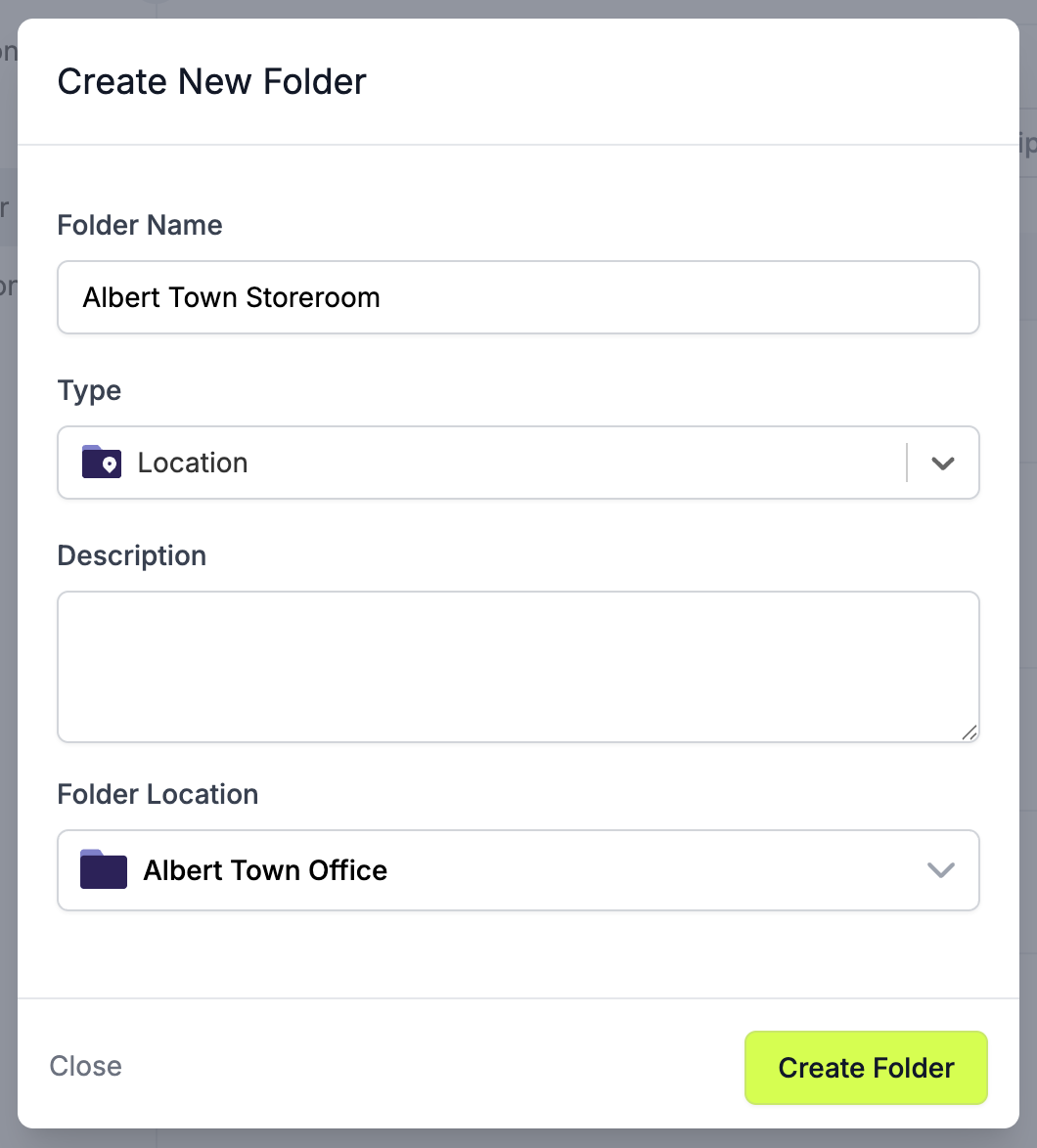
Enter a folder name, select the type of folder you are creating, give it a description should you need, and select the location for your folder
-
Click 'Create Folder'
-
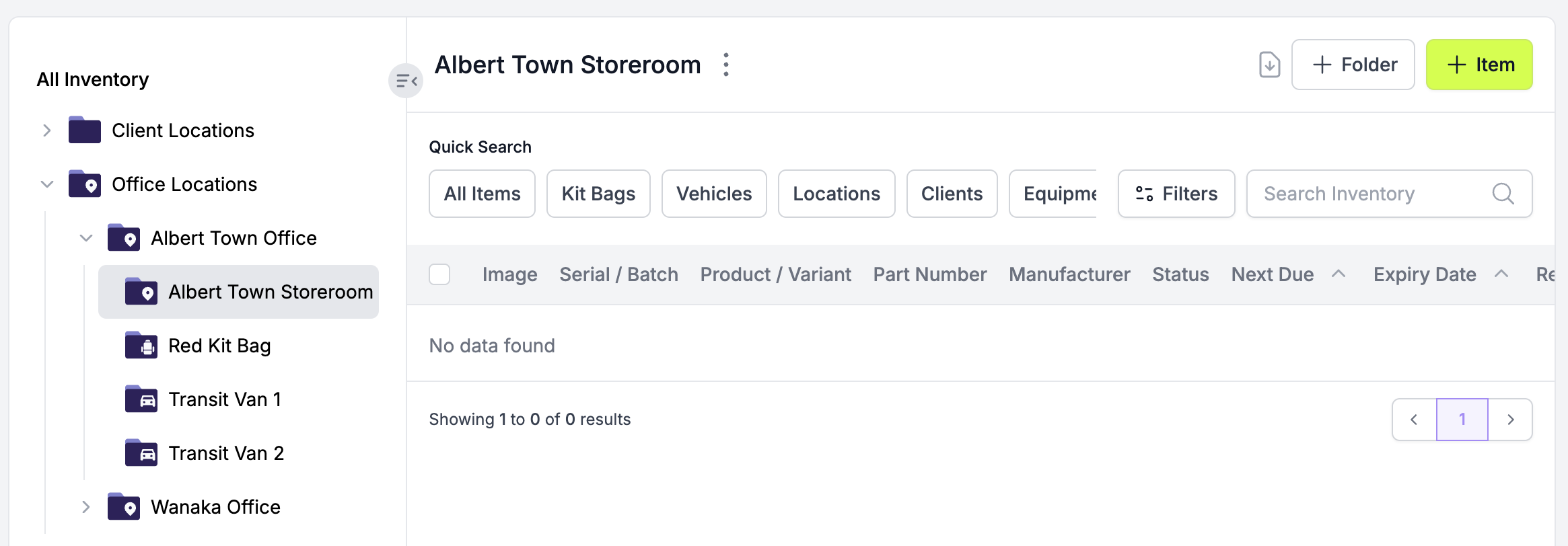
Success! You can locate your new folder in the Folders side bar, and start adding items to your folder.